Note: I did not use API to write this post, nor do I use it for any writing I publish. That said, sorry about any typos.
I have been swinging wildly between really hating AI/LLM’s (data centers, giving oligarchs cover for shifting wealth upwards, uncontrolled experiments on the entire world’s psyche) and being kinda excited about the possibilities (helping with various disabilities, trying out ideas quickly, being a learning partner). It’s an uncomfortable place to live.
As a manager of technical staff, I can’t just ignore the technology. I have some employees who have yet not found a use for the tech at all, and are doing great without it. Some have found it useful as souped up documentation. Others have used it as a coding partner, carefully checking output every step of the way. One person has explored local models to transcribe and describe materials to great success. A small team is remediating hundreds of thousands of documents for better accessibility using AI coupled with API’s.
So, I felt I should really try out one of the coding apps, and subscribed to Claude Code at the $20 level for a month. I have a few goals for the month. One is to evaluate just what the tech can do at this level, since the prices will likely go up anyway and this is probably the level we would utilize. Another goal is to document pitfalls and things to look out for. But one goal I had was just to play around with it to see what I could accomplish.
The App Idea
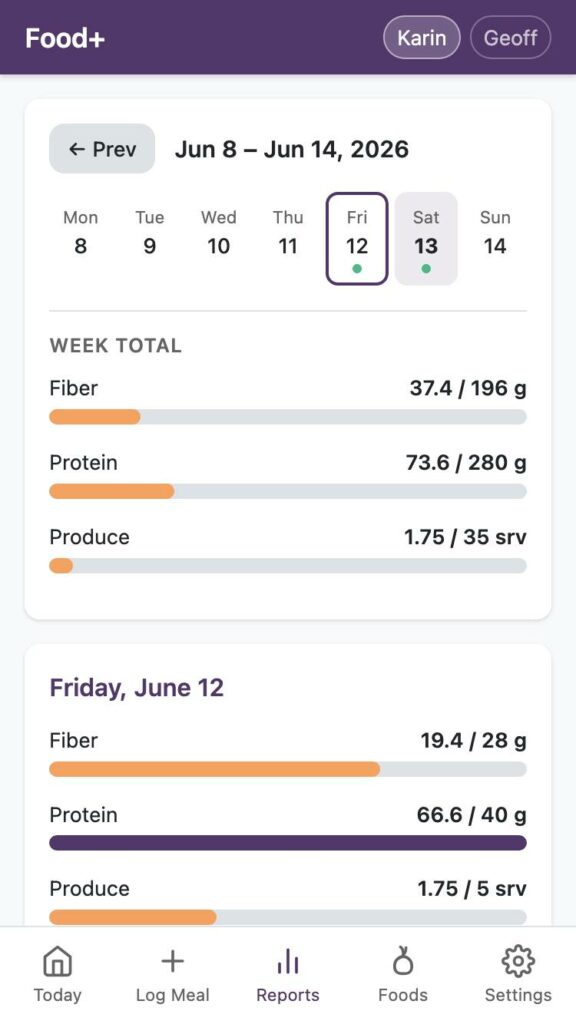
I have had an app idea in my head for years now: a food tracking app with no mention of calories, which tracks only the things I am interested in, and that my and my partner’s doctors have talked to us about: Fiber, Protein, and Fruits/Veggies consumed per day. I created a version of this app in Airtable some time ago, but due to limitations with Airtable data entry was still somewhat clunky and I was nearing the “free” tier usage limits, so I stopped using it. I tried to port it to baserow without success (the functions didn’t come through right, the data entry was still clunky).
The core of the idea was present in Airtable though: the data tables, the calculations, the data which would and wouldn’t be collected.
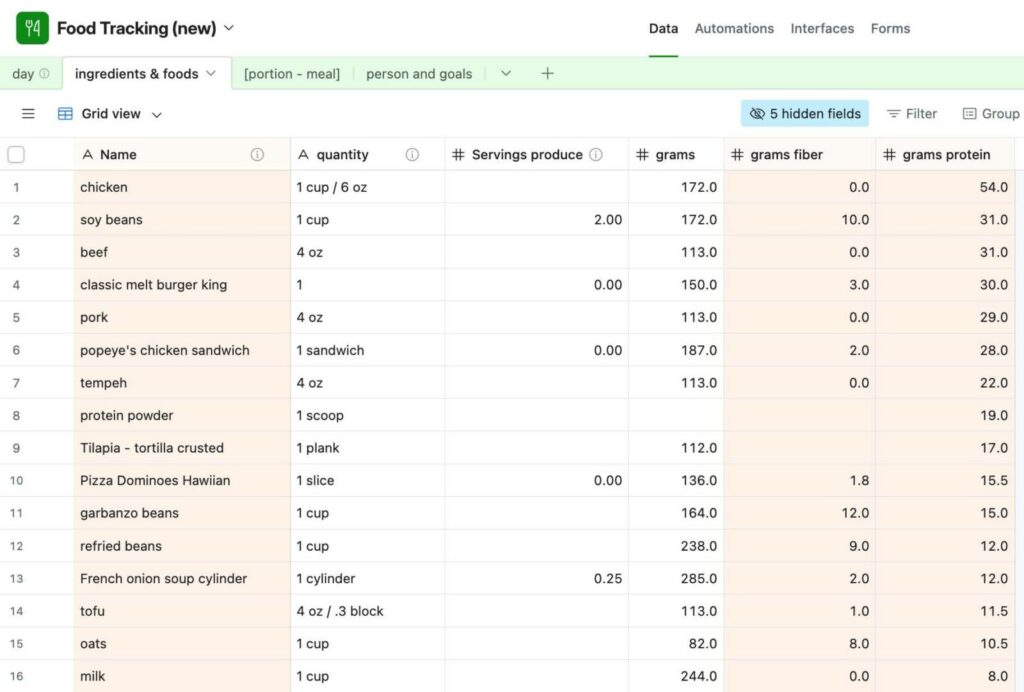
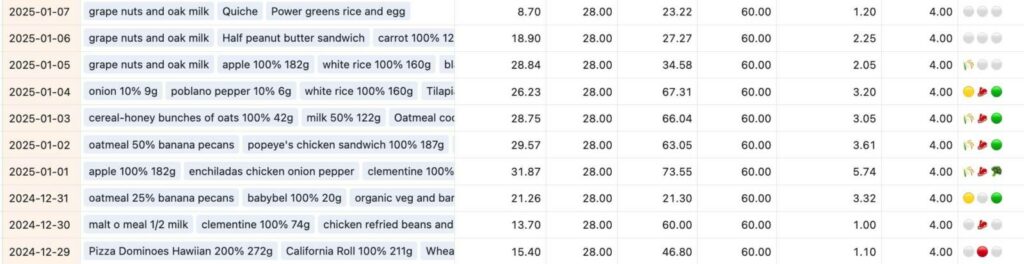
The base of what I wanted was in the Airtable base, but I couldn’t get to the next step. I actually spent some time sketching out what I would want in a standalone app, but decided it would take too long to implement.
Compare this with apps like myfitnesspal: They collect a bunch of mandatory data they use to “calculate your values” and share it with who knows who. You have to sign up with an account through them, tying your information to an email address. After you sign up, the main indicator presented is caloric values. It takes way more steps to get to simple food entry.
Food+ Creation
With all this in mind, I spent a couple of days “building” an app based on my Airtable base. This was a nice test because I had already pretty fully considered the data model for the app, had a good idea of what I wanted the end product to look like, and had a limited scope. I also have a shared web server I could deploy the app at, which guided the decision to use PHP to build the app, as well as an SQL lite database for maximum portability and ease of setup.
I began by creating a “Personal Access Token” (read only) to the Airtable base, adding that to an airtable.txt file, creating a claude.md file with my basic app constraints, and letting it loose. This is what I originally had in my claude.md file:
## Airtable

Airtable access token is in the file airtable.txt, along with the base name

## Application design

- The goal is to duplicate the basic functionality of the airtable base with a PHP/SQL Lite application I can put on my webserver.
- No account management is needed at this time.
- The application should have a clean and modern interface, work well on a mobile phone, and should prioritize ease of data entry.
- The application should have the ability to export data as a csv.
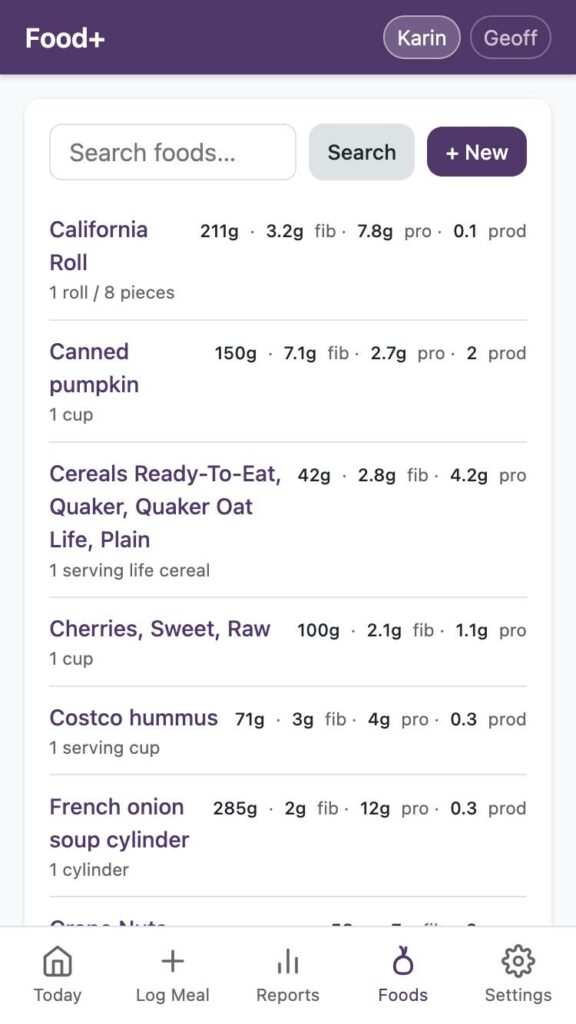
- The application should be allow entry of new foods and meals with values.
- At this time, any data about food will be manually entered.
I could have done a lot more here, but I wanted to start fairly simply and see how much it could infer from the Airtable structure. The initial outcome would have been better if I had included mentions about security and accessibility in this file.
I went through the following basic iterations with the app:
1: Basic access and building questions
When I created the Airtable access token, I did not include access to the base schema, which limited the amount the app could infer about the functionality. Claude noticed this and notified me when reading the initial files. Claude also came back with a few basic questions, which were pretty spot on – some things I had added to work around Airtable limitations weren’t needed in this format, and Claude asked if it could remove them. It wasn’t perfect though, Claude missed the meal implementation originally.
2: Ingesting Airtable Data
I had included instructions about data export in my initial instructions, but no instructions for data import. So I worked on a data import feature, and had claude format the Airtable Data as a single CSV I could import. This proved enormously useful for continued testing, as I could slurp in real data really quick once this was done.
3: Feature iteration
I asked it to add values to the URL that would help with bookmarking on my phone for data entry.
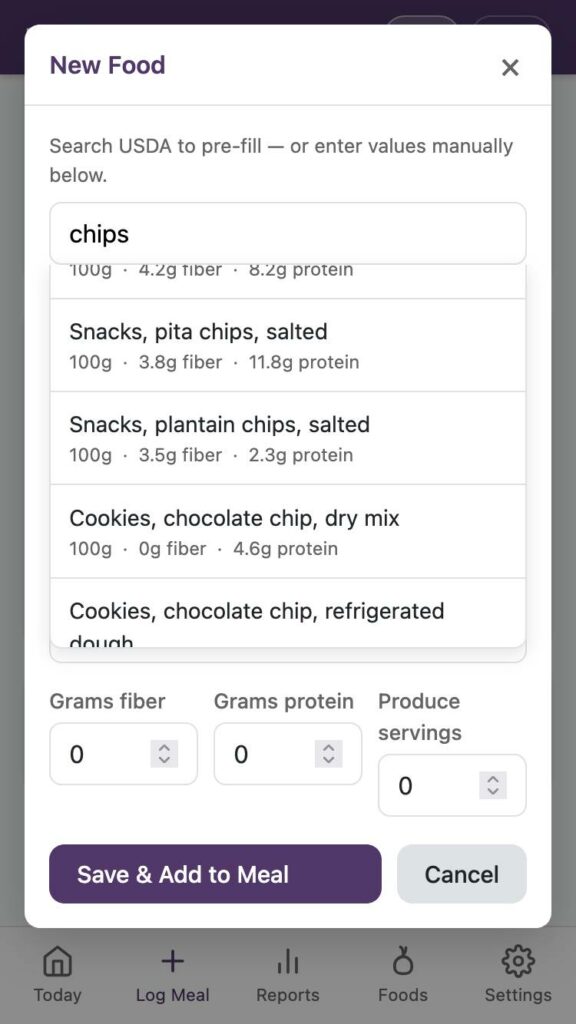
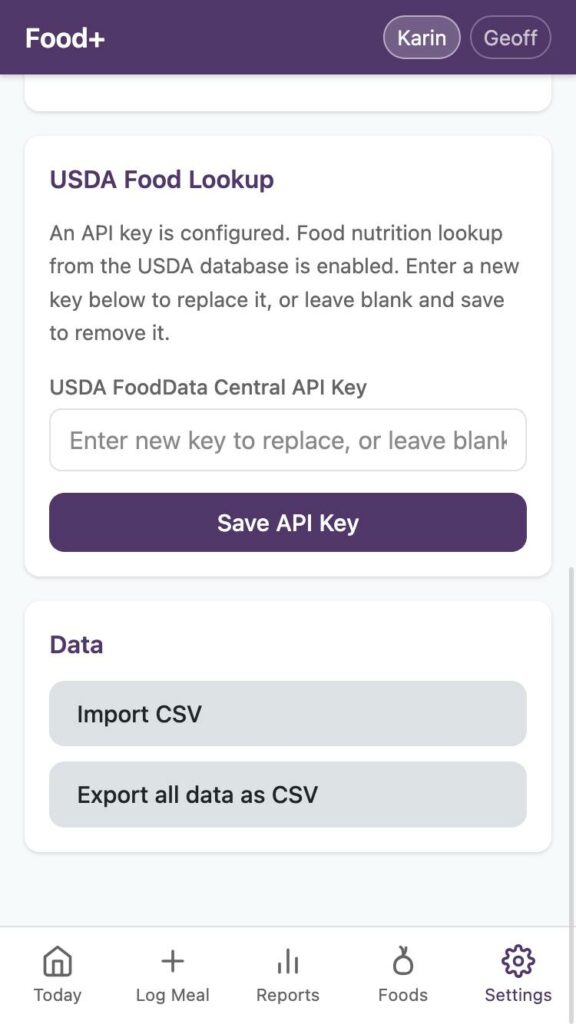
I added a food lookup feature using the USDA API, and Claude walked me through signing up for an API key, etc. Claude originally added my API key to a config file in the code, I asked it to ask for the API key on startup instead. I also added a way in the GUI to change the API key later if necessary.
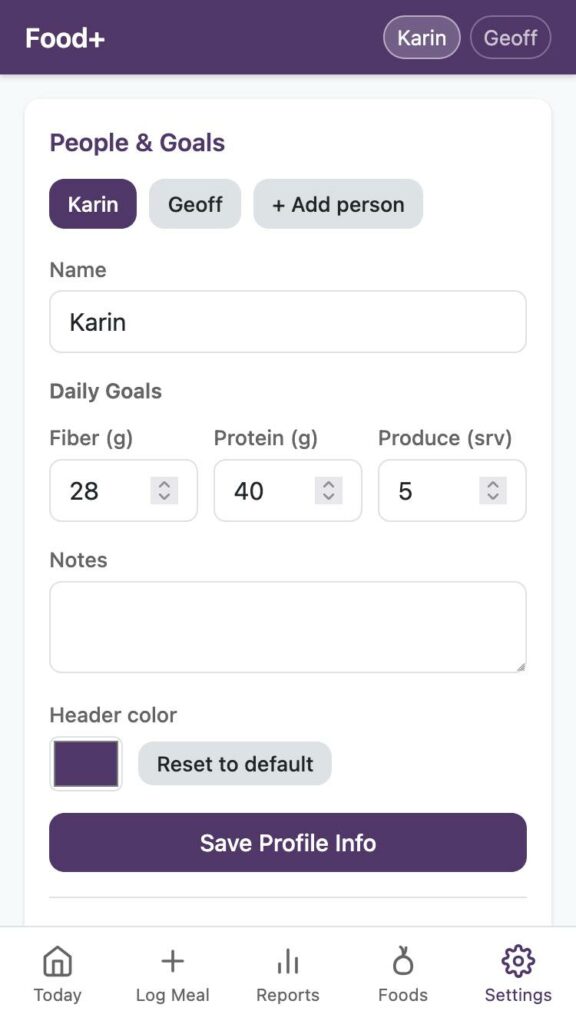
I added a very basic user management feature, so my partner can also track food if they wish. Claude was Very Concerned that I wasn’t setting a password for the app or for each user (I have initially put the app behind an apache passworded folder, so have not implemented any passwording in app).
I added the ability to change color of the header per user, mostly for easy visual differentiation between users.
4: Bug squashing
During initial development, I was using MAMP to serve files locally. Once I got the app to a good place, I started testing on my host (shoutout to Reclaim Hosting!) I created a subdirectory, added an apache password, and set the PHP version for that folder to 8.3. The initial upload resulted in an error, I checked the logs in cpanel, pasted in the error, and it made changes to my .htaccess files and php.ini to make the app work with my webserver. It worked!
I then started using it from my phone to enter real data, which immediately turned up some minor bugs, which I worked through. These were things like inconsistent data entry of foods on the food page vs the log page, too many decimal places, and content that scrolled off a mobile screen.
Times were incorrect initially, working off the server time instead of my time. When testing on my computer, this bug wasn’t apparent, because it was set to my time rather than UTC. It took a few iterations to get this correct, and I am still not sure I chose the correct implementation (I went with using the browser to set the time, because that would update if I travel, but I fully expect to run into more bugs.)
App Tour
So here’s the final app. I am quite happy with it, and hope it will help me with some health issues I have been dealing with.
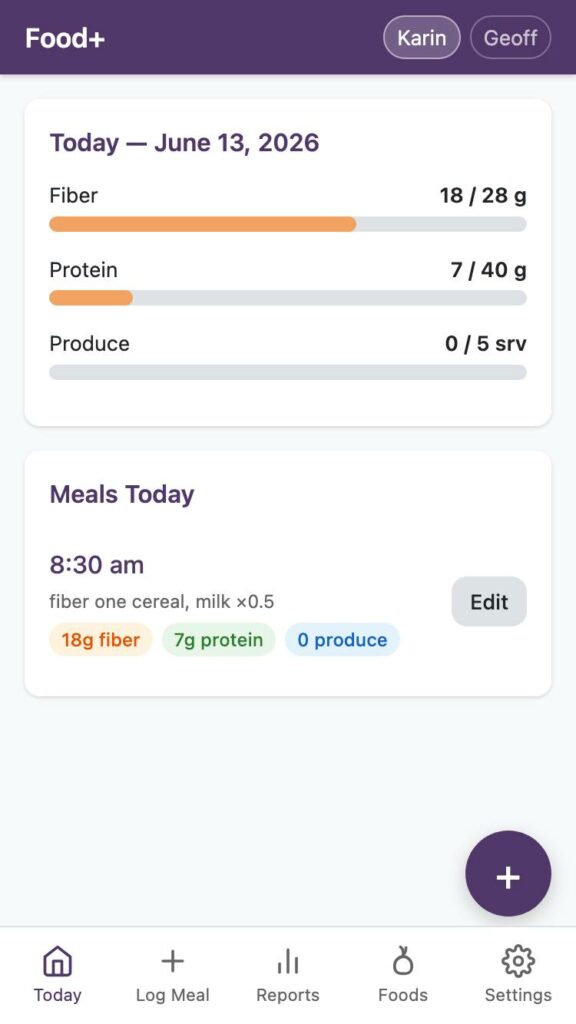
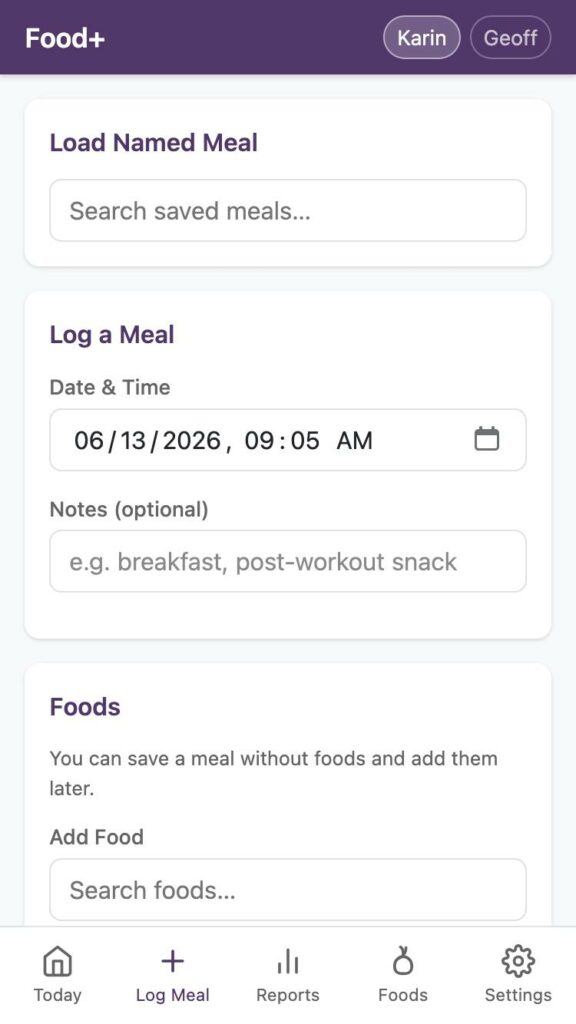
What’s Next?
There are a few minor changes I would like to make (ability to inspect and add meals, for one) but overall, I am really happy with where this ended up, and look forward to continuing to use it for tracking my diet. If I want to track something more later, like added sugar, I can update all the values in already saved foods and get reports based on past data entry.
I would be interested in creating a version that is a standalone web app (using the browsers’ database storage), but this isn’t as necessary for my use.
Mostly, though, I consider this project done, and it will live on my (piece of a) server collecting my data.
I have cancelled the claude subscription but will continue to use it for a few work tasks until I get cut off.
I’m interested in local models but only have 8gb of ram.
Lessons
Having basic web building experience really helped, though I suspect Claude could have walked me through most potential snags (like where to find logs in cpanel if necessary.)
I learned I always need to start my prompts with the basics of good website design: security, accessibility, etc.
While I probably could have built this app over many months, I also probably never would have.
So far, my experimentation has solidified what I was already thinking- that Claude code, at least, works best with a human looking at every step, to correct when the bot makes generates incorrect decisions code.
Instructing Claude to not talk like a human, not say things like “you’re absolutely right” and to be simple and direct really helps with my squicky feelings using it. Similarly, I had to work at not “talking” at it like it’s human, i.e. instead of saying “could you do x” just saying “generate x” instead (see corrections above 😆 ).
The app didn’t use near as much of my Claude usage as I thought it would. I came near the usage limit for a 6 hour period once, but my usage for the week I built the app in is only 30% of the total allowed. Sonnet 4.6 on “low” worked fine.
The code
My code, FWIW, is on GitHub (Food+). I make no representations about this being good code, but it is code that does a thing that’s useful to me.

